Unnamed repository; edit this file 'description' to name the repository.
Diffstat (limited to 'helix-tui/src/lib.rs')
| -rw-r--r-- | helix-tui/src/lib.rs | 130 |
1 files changed, 130 insertions, 0 deletions
diff --git a/helix-tui/src/lib.rs b/helix-tui/src/lib.rs index 91e7d7bd..59327d7c 100644 --- a/helix-tui/src/lib.rs +++ b/helix-tui/src/lib.rs @@ -1,3 +1,133 @@ +//! [tui](https://github.com/fdehau/tui-rs) is a library used to build rich +//! terminal users interfaces and dashboards. +//! +//! 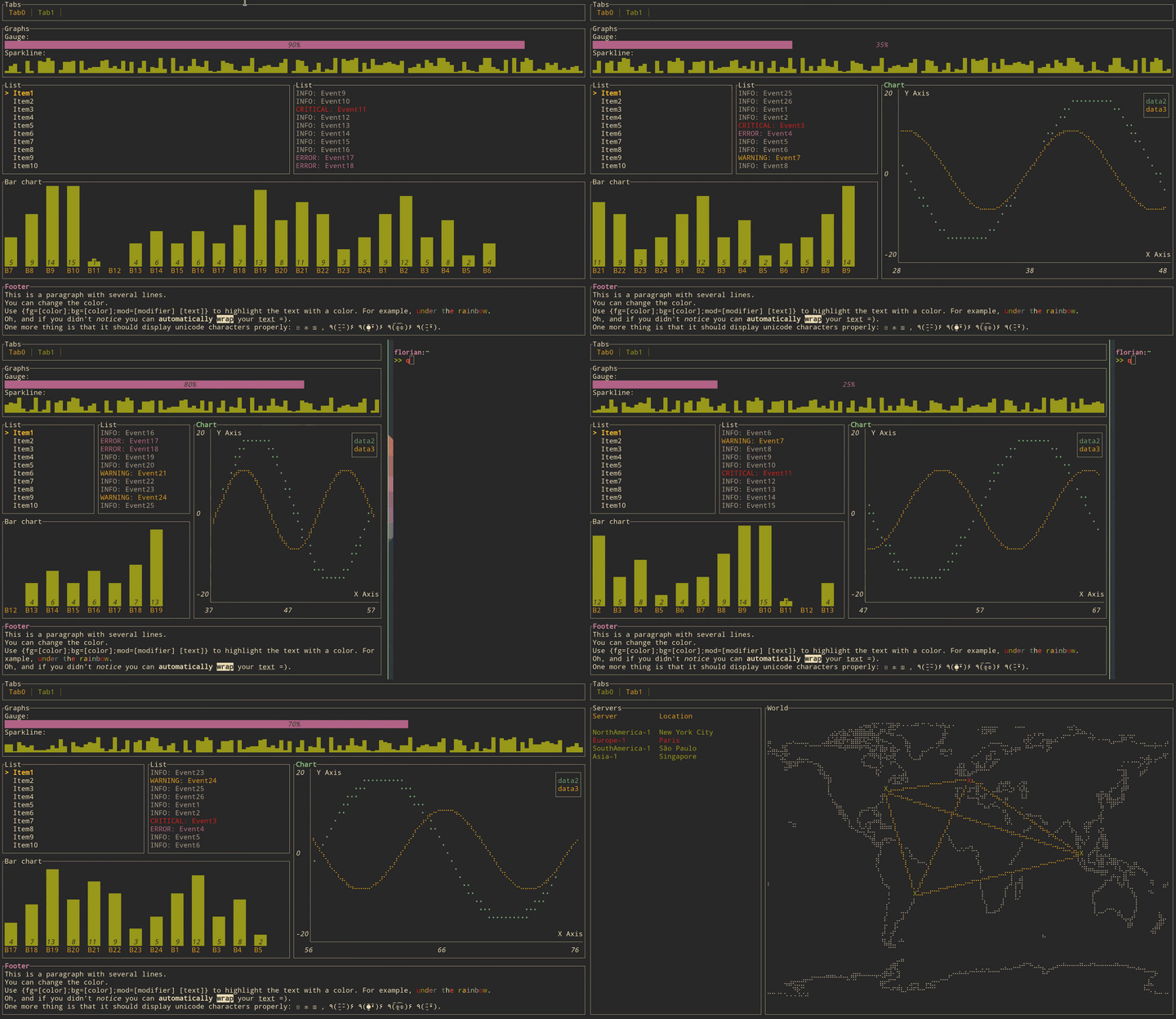 +//! +//! # Get started +//! +//! ## Adding `tui` as a dependency +//! +//! ```toml +//! [dependencies] +//! tui = "0.15" +//! crossterm = "0.19" +//! ``` +//! +//! The same logic applies for all other available backends. +//! +//! ## Creating a `Terminal` +//! +//! Every application using `tui` should start by instantiating a `Terminal`. It is a light +//! abstraction over available backends that provides basic functionalities such as clearing the +//! screen, hiding the cursor, etc. +//! +//! ```rust,no_run +//! use std::io; +//! use helix_tui::Terminal; +//! use helix_tui::backend::CrosstermBackend; +//! use helix_view::editor::Config; +//! +//! fn main() -> Result<(), io::Error> { +//! let stdout = io::stdout(); +//! let config = Config::default(); +//! let backend = CrosstermBackend::new(stdout, &config); +//! let mut terminal = Terminal::new(backend)?; +//! Ok(()) +//! } +//! ``` +//! +//! You may also refer to the examples to find out how to create a `Terminal` for each available +//! backend. +//! +//! ## Building a User Interface (UI) +//! +//! Every component of your interface will be implementing the `Widget` trait. The library comes +//! with a predefined set of widgets that should meet most of your use cases. You are also free to +//! implement your own. +//! +//! Each widget follows a builder pattern API providing a default configuration along with methods +//! to customize them. The widget is then rendered using the `Frame::render_widget` which take +//! your widget instance an area to draw to. +//! +//! The following example renders a block of the size of the terminal: +//! +//! ```rust,no_run +//! use std::io; +//! use crossterm::terminal; +//! use helix_tui::Terminal; +//! use helix_tui::backend::CrosstermBackend; +//! use helix_tui::widgets::{Widget, Block, Borders}; +//! use helix_tui::layout::{Layout, Constraint, Direction}; +//! use helix_view::editor::Config; +//! +//! fn main() -> Result<(), io::Error> { +//! terminal::enable_raw_mode().unwrap(); +//! let stdout = io::stdout(); +//! let config = Config::default(); +//! let backend = CrosstermBackend::new(stdout, &config); +//! let mut terminal = Terminal::new(backend)?; +//! // terminal.draw(|f| { +//! // let size = f.size(); +//! // let block = Block::default() +//! // .title("Block") +//! // .borders(Borders::ALL); +//! // f.render_widget(block, size); +//! // })?; +//! Ok(()) +//! } +//! ``` +//! +//! ## Layout +//! +//! The library comes with a basic yet useful layout management object called `Layout`. As you may +//! see below and in the examples, the library makes heavy use of the builder pattern to provide +//! full customization. And `Layout` is no exception: +//! +//! ```rust,no_run +//! use std::io; +//! use crossterm::terminal; +//! use helix_tui::Terminal; +//! use helix_tui::backend::CrosstermBackend; +//! use helix_tui::widgets::{Widget, Block, Borders}; +//! use helix_tui::layout::{Layout, Constraint, Direction}; +//! use helix_view::editor::Config; +//! +//! fn main() -> Result<(), io::Error> { +//! terminal::enable_raw_mode().unwrap(); +//! let stdout = io::stdout(); +//! let config = Config::default(); +//! let backend = CrosstermBackend::new(stdout, &config); +//! let mut terminal = Terminal::new(backend)?; +//! // terminal.draw(|f| { +//! // let chunks = Layout::default() +//! // .direction(Direction::Vertical) +//! // .margin(1) +//! // .constraints( +//! // [ +//! // Constraint::Percentage(10), +//! // Constraint::Percentage(80), +//! // Constraint::Percentage(10) +//! // ].as_ref() +//! // ) +//! // .split(f.size()); +//! // let block = Block::default() +//! // .title("Block") +//! // .borders(Borders::ALL); +//! // f.render_widget(block, chunks[0]); +//! // let block = Block::default() +//! // .title("Block 2") +//! // .borders(Borders::ALL); +//! // f.render_widget(block, chunks[1]); +//! // })?; +//! Ok(()) +//! } +//! ``` +//! +//! This let you describe responsive terminal UI by nesting layouts. You should note that by +//! default the computed layout tries to fill the available space completely. So if for any reason +//! you might need a blank space somewhere, try to pass an additional constraint and don't use the +//! corresponding area. + pub mod backend; pub mod buffer; pub mod layout; |