Unnamed repository; edit this file 'description' to name the repository.
Usage
(Currently not fully documented, see the keymappings list for more.)
Surround
Functionality similar to vim-surround is built into helix. The keymappings have been inspired from vim-sandwich:
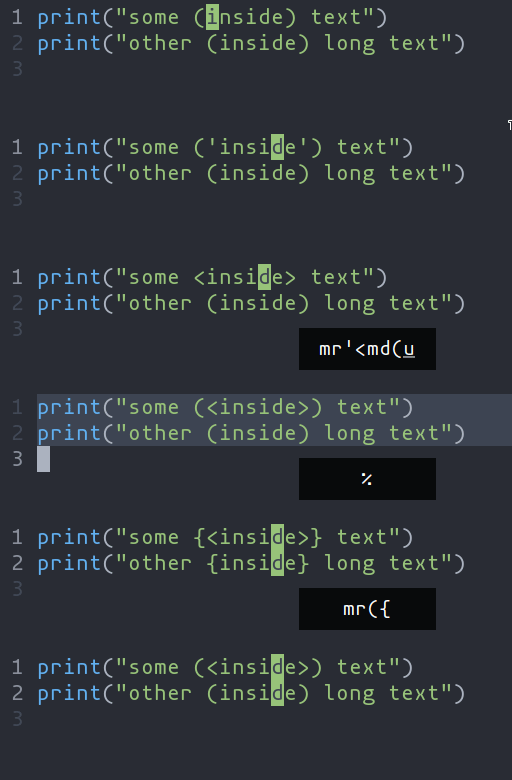
ms- Add surround charactersmr- Replace surround charactersmd- Delete surround characters
ms acts on a selection, so select the text first and use ms<char>. mr and md work
on the closest pairs found and selections are not required; use counts to act in outer pairs.
It can also act on multiple seletions (yay!). For example, to change every occurance of (use) to [use]:
%to select the whole filesto split the selections on a search term- Input
useand hit Enter mr([to replace the parens with square brackets
Multiple characters are currently not supported, but planned.
Textobjects
Currently supported: word, surround.

ma- Select around the object (vain vim,<alt-a>in kakoune)mi- Select inside the object (viin vim,<alt-i>in kakoune)
Key after mi or ma |
Textobject selected |
|---|---|
w |
Word |
(, [, ', etc |
Specified surround pairs |
Textobjects based on treesitter, like function, class, etc are planned.